


How to Test Electronic Contracts Before Deployment: 12 Scenarios Businesses Should Try
Imagine a business with around 600-1,000 employees that has piloted electronic contracts with 20-30 office employees.
Everything runs very smoothly:
HR creates the contract → sends it → the employee signs → the enterprise representative signs → completed.
But the following week, the business is preparing to send 500 real contracts.
At this point, the important question is no longer: “Can the system support electronic signing?”
Instead, it is: “If 20-30 out of 500 records do not follow the expected process, how will HR handle them?”
What if an employee enters an incorrect Citizen ID number? What if a salary error is discovered after the contract has already been sent? What if the enterprise signer is on leave? What if the employee refuses to sign? What if the signing link expires? Or, more seriously, what if HR sends Employee A’s contract containing salary information to Employee B?
That is why, before deploying electronic contracts at scale, businesses should not test only the cases where everything works correctly.
In this article, Quantera will guide businesses through 12 scenarios they should proactively test before putting electronic contracts into real-world use.
1. Why Does a Successful Pilot Signature Not Mean the Process Is Ready?
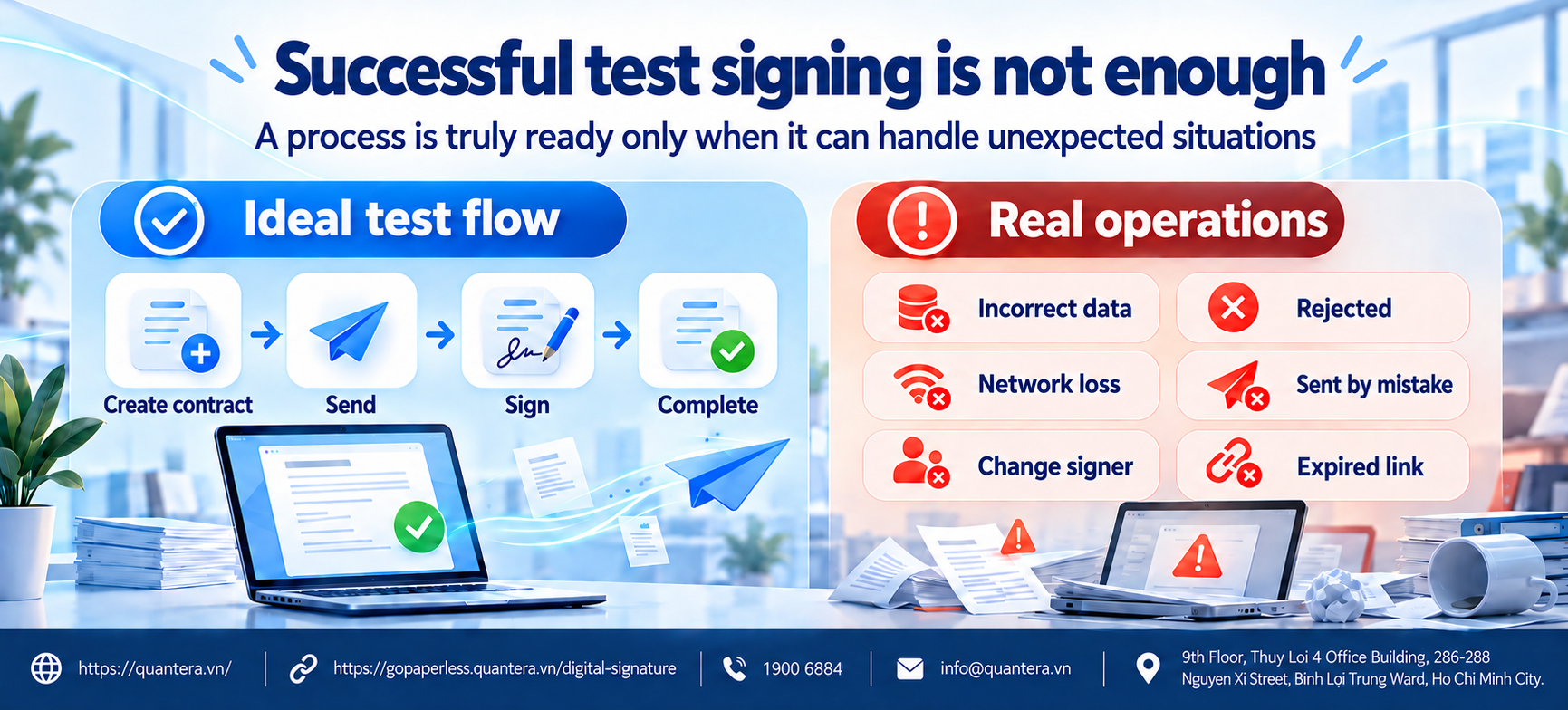
During a pilot, businesses usually select correct data, trained users, the correct signers, and stable network connections.
As a result, the main flow often works very smoothly.
But when hundreds of real contracts are sent, unexpected cases begin to appear. One employee enters incorrect information, another changes their phone number, a manager goes on leave, or HR sends the wrong document.
At this point, the issue is no longer whether the system has a signing function.
The business needs to know:
This is also why a business should not evaluate a solution solely based on a demo session.
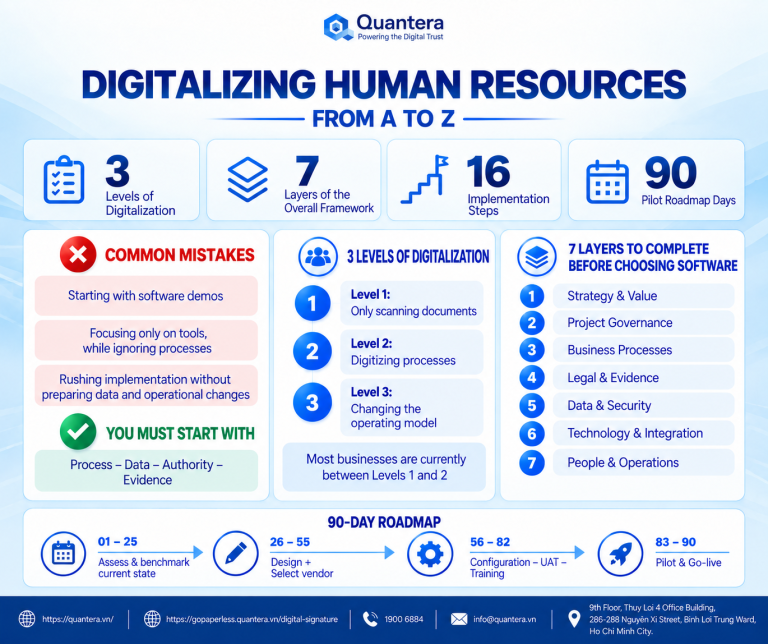
In the article Top 5 Things Businesses Should Note When Implementing Digital Transformation , Quantera also emphasizes that implementation must begin with actual processes, data, and operating practices rather than simply looking at a list of features.
The point to test is not “How does the system run when everything is correct?” but rather “How do the system and the operations team handle a record when it goes off the expected path?”
2. What Should a Business Prepare Before Testing?
There is no need to create hundreds of contracts just for testing.
More importantly, the business needs to create scenarios that are sufficiently similar to what may actually happen in real use.
Before starting, four elements should be prepared.
First, use data that is close to reality. Do not rely only on overly simple sample records with complete information and no exceptions.
Second, involve the right people. If the employment contract process includes HR, employees, managers, and the enterprise signer, those roles should also participate in the pilot.
Third, define the expected result in advance for each case. For example, when an employee refuses to sign, what status should HR see? Should HR receive the reason for refusal? How should the record be handled next?
Finally, the business must record how the situation is handled. It should not simply mark the case as “successful” or “failed.”
The goal is that, after the pilot, HR knows exactly what to do if that situation occurs on the actual deployment date.
3. 12 Scenarios to Test Before Deploying Electronic Contracts
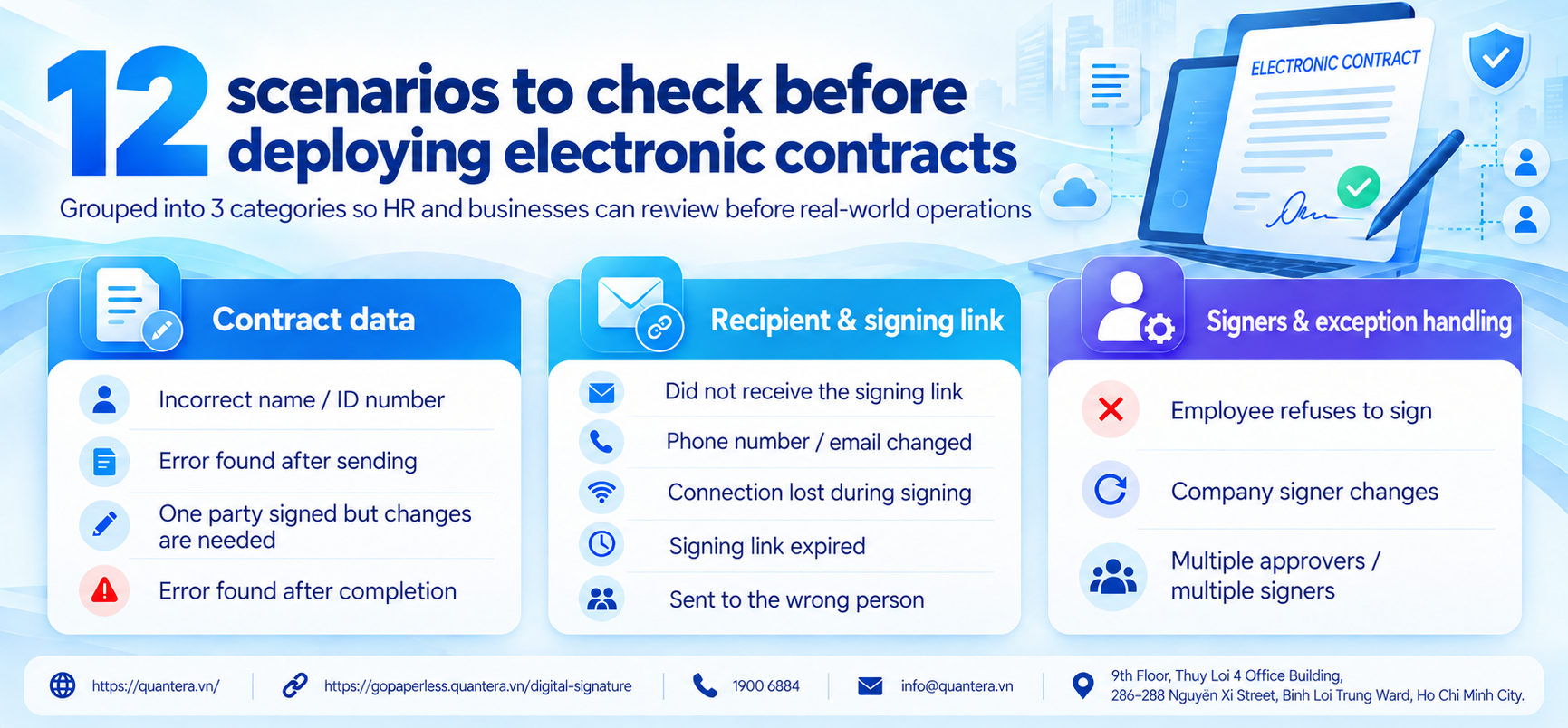
3.1. Group 1: Contract Information Is Incorrect or Changes
Scenario 1: Incorrect Name or Citizen ID Before Signing
This is a very common situation when data is entered manually or imported from an Excel file.
The business should test:
The key question is not only “Can it be corrected?” but whether, after the correction, the business can still identify which version is the correct one.
Scenario 2: Incorrect Information Is Discovered After the Contract Has Been Sent
HR has already sent the contract, but a manager discovers that the salary or employment start date is incorrect.
The business should check:
If the system only allows HR to “send another new version,” HR can easily lose control as the number of contracts increases.
Scenario 3: One Party Has Signed, the Other Has Not, but the Contract Needs to Be Corrected
This is an important case because a signing action has already taken place.
For example, the employee has signed, but before the enterprise signs, HR discovers that some information is incorrect.
The business needs to know:
A document that already contains a signature should not be altered without a clear history.
Scenario 4: Both Parties Have Completed Signing, but an Error Is Discovered Afterwards
If an incorrect salary, job title, or other information is discovered after the contract is completed, the handling method must be different from correcting a draft.
The system should help the business preserve the completed version while clearly managing any amendment document or subsequent record.
The goal is that, months or years later, HR can still understand:
Which version was originally signed → what issue was discovered → which document was used to make the correction → which document is currently effective.
3.2. Group 2: Problems with the Recipient or Signing Link
Scenario 5: The Employee Does Not Receive the Signing Link
The employee may report:
“I haven’t received the contract yet.”
HR needs to know whether the system can show:
If HR only knows to “click resend,” the business can easily create multiple signing requests for the same record.
Scenario 6: The Employee Changes Their Phone Number or Email While the Contract Is Awaiting Signature
This scenario should be tested in advance if the business uses a phone number or email address to send signing requests.
The business should check:
The key point is to ensure that a person who should no longer have access can no longer access the document.
Scenario 7: The Employee Exits During Signing or Loses Network Connectivity
Not every employee works in an office with a stable network connection.
For factory workers, field staff, or users signing on personal mobile phones, losing connectivity during the signing process is entirely possible.
The business should test what happens when the user returns:
This experience directly affects the number of support calls HR will receive when deployment is scaled up.
Scenario 8: The Signing Link Has Expired
If the employee waits too long before opening the contract, the signing link may no longer be valid under the business’s policy.
HR needs to know how to:
A good system should not turn “resending the link” into “recreating the entire contract.”
Scenario 9: HR Sends a Contract to the Wrong Person
This is one of the highest-priority cases to test.
For example, Employee A’s contract, containing salary and personal information, is accidentally sent to Employee B.
The business needs to know:
For HR data, this is no longer just an operational error. It is directly related to access control and information protection.
3.3. Group 3: Signers or Processing Workflows Change
Scenario 10: The Employee Refuses to Sign
Not every contract that is sent will be accepted.
The employee may disagree with the salary, job title, start date, or a contract term.
The business should test:
If the system only shows “not signed,” HR will not be able to distinguish between an employee who has not opened the contract and one who has opened it but does not agree.
Scenario 11: The Enterprise Signer Is on Leave or Changes
For example, the contract is waiting for the Director’s signature, but that person goes on extended leave or the signing authority changes.
The business should test:
This is why authority and delegation must be controlled within the process itself, rather than relying only on HR’s knowledge of “who is signing on behalf of whom.”
Scenario 12: A Contract Has Multiple Approvers or Multiple Signers
In a large business, a contract may need to pass through HR, the direct manager, C&B, Legal, and only then reach the signer.
HR needs to be able to see:
This is the value of automated workflow management: not only moving a record from one person to another, but also helping the business know exactly where the record currently sits.
The goal of these 12 scenarios is not to deliberately “break the software.” The goal is to know in advance how the system and the operations team will respond when a record does not follow the expected flow.
4. How Should the Result of Each Scenario Be Recorded?
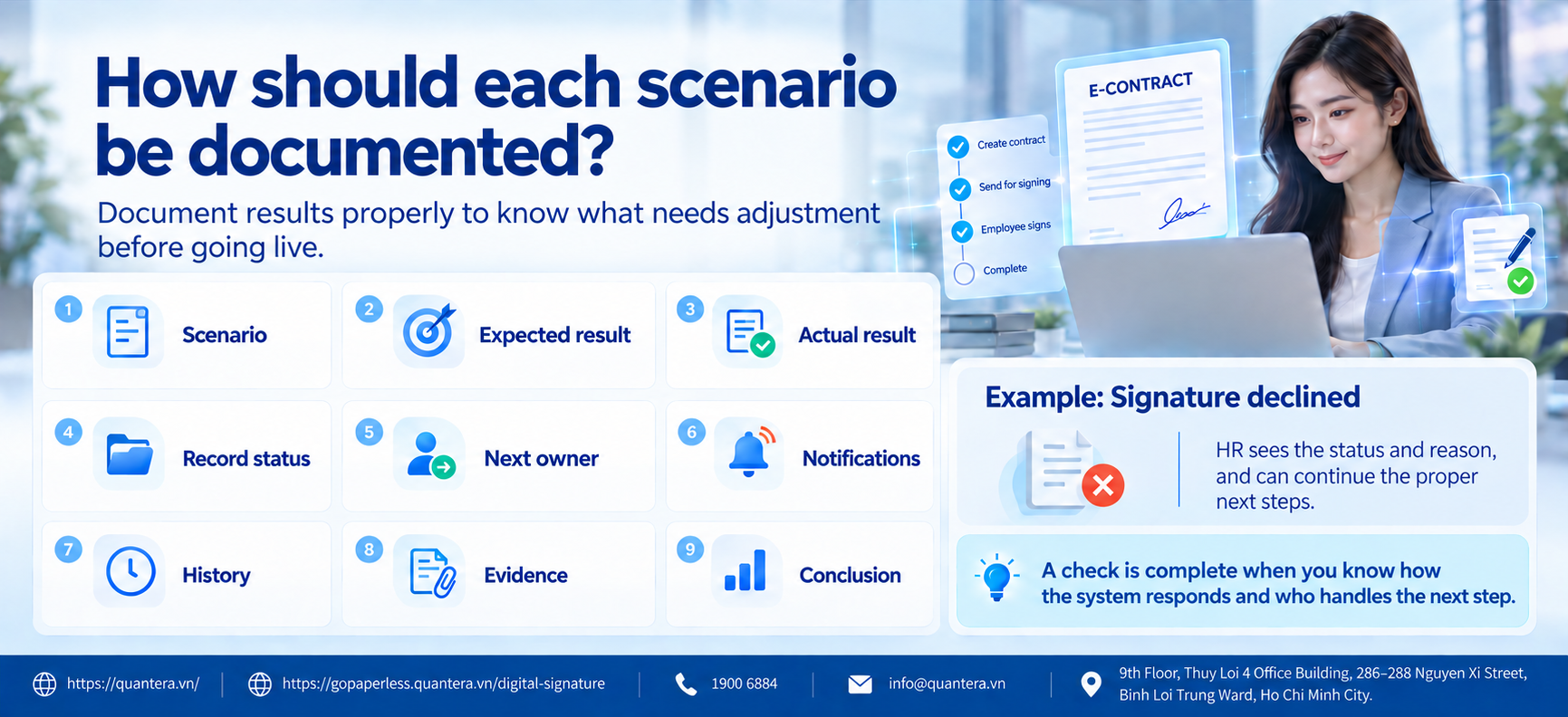
Testing the scenario alone is not enough.
The business needs to record the result so it knows what must be adjusted before real-world use.
| Item | What to Record |
|---|---|
| Scenario | What happened? |
| Expected result | How should the system handle it? |
| Actual result | How did the system actually handle it? |
| Record status | What status does HR see? |
| Next handler | Who is responsible for the next step? |
| Notification | Who receives an alert? |
| History | Is the action recorded? |
| Evidence | Can it be retrieved later? |
| Conclusion | Pass / needs adjustment / not ready for use? |
For example, in the case where an employee refuses to sign, the expected result may be:
HR sees the status “Refused,” knows the time of refusal, receives the reason, and can correct the record and resend it through the proper process.
If the system only shows “Incomplete,” the business needs to clarify the handling method before actual deployment.
A scenario should only be considered fully tested when the business knows both how the system responds and what people must do next.
5. When Is an Electronic Contract Process Ready for Real Deployment?
A business does not need to wait for an absolutely perfect system before deploying it.
But before sending hundreds or thousands of contracts, the business should at least ensure:
For electronic employment contracts in particular, actual operation must also comply with the requirements of Decree No. 337/2025/ND-CP and Circular No. 08/2026/TT-BNV on electronic employment contracts.
Do not decide to deploy simply because 20 pilot contracts were all signed successfully. Decide when the business knows how to handle contracts that do not follow the expected process as well.
6. How Does GoPaperless Support Businesses in Piloting and Operating Electronic Contracts?
When sending 500 real contracts, HR does not only need to know how many have been signed. More importantly, HR needs to quickly identify which records have problems and know what the next handling step should be.
This is where GoPaperless supports businesses in operating electronic contracts.
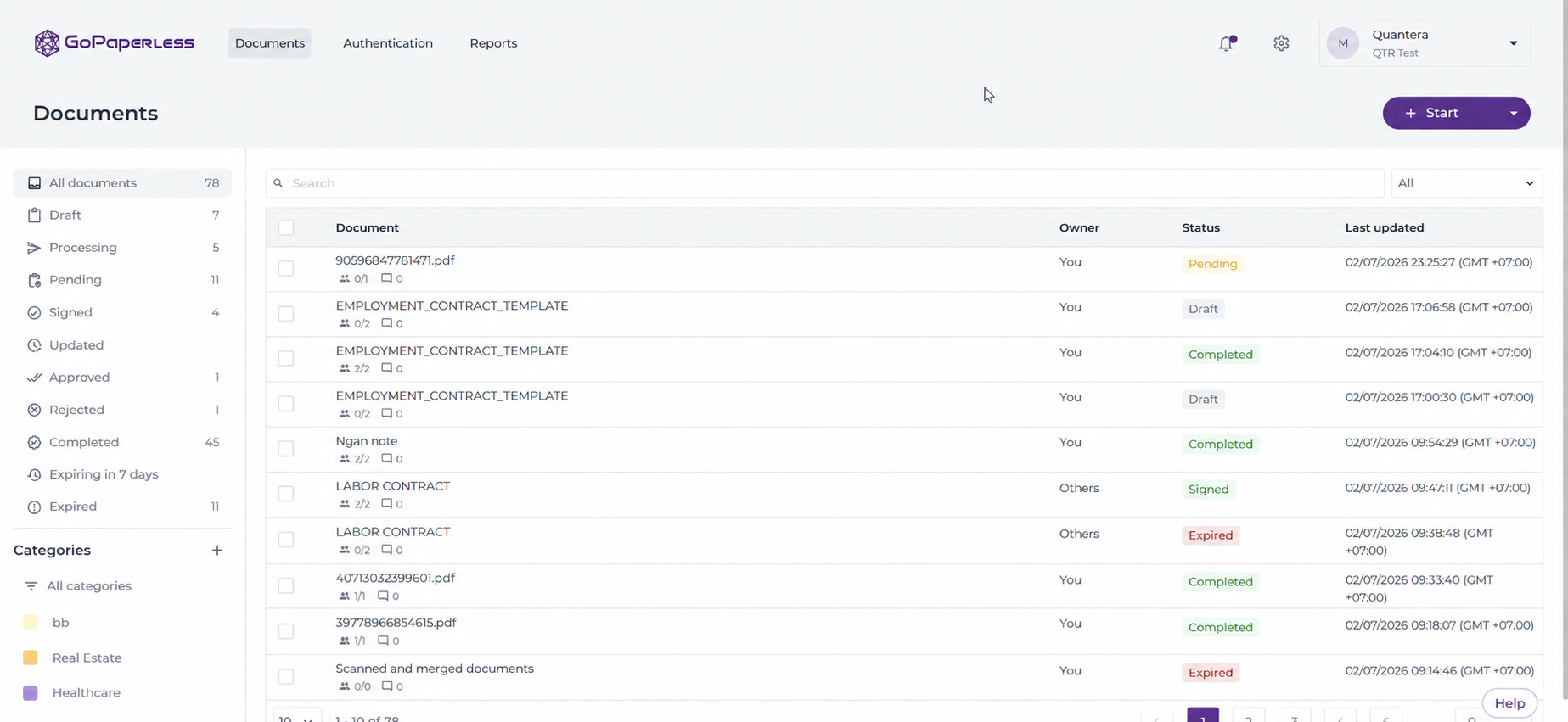
First, HR can track the status of each record instead of manually checking every contract. When a record is pending, rejected, or incomplete, the responsible person can identify which record needs intervention and which step it is currently waiting at.
This is especially important in situations where an employee refuses to sign, a contract has multiple approvers or multiple signers, or dozens of records remain incomplete close to the effective date.
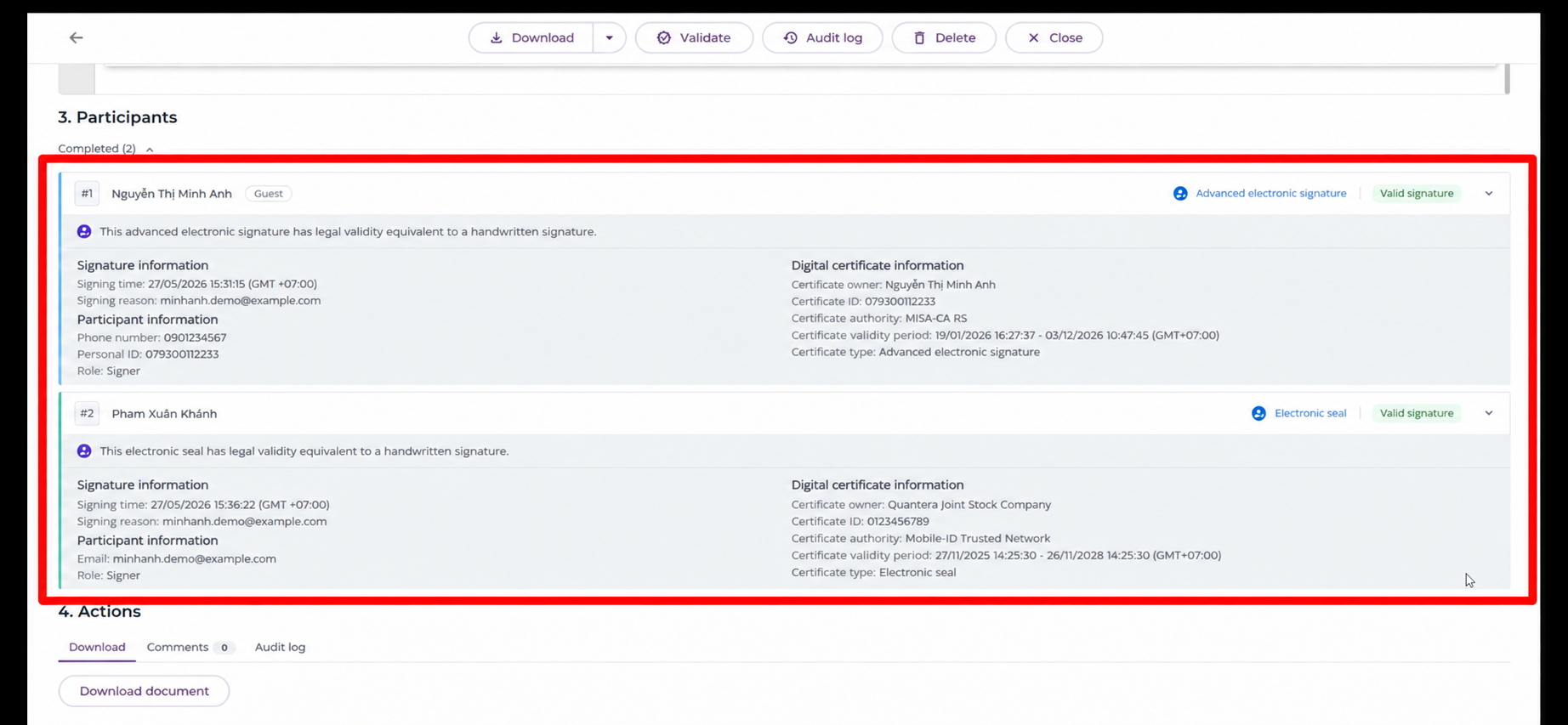
Second, GoPaperless supports management of changes and record history. When information must be corrected, a document changes, or an adjustment arises after an approval/signing step, the business needs to clearly distinguish versions rather than overwrite files or keep multiple files without knowing which one is being used.
As a result, when situations arise such as an error being discovered after a contract has been sent, one party having signed but a correction being required, or incorrect information being discovered after completion, HR can control the record through its processing history rather than by managing file names and folders.
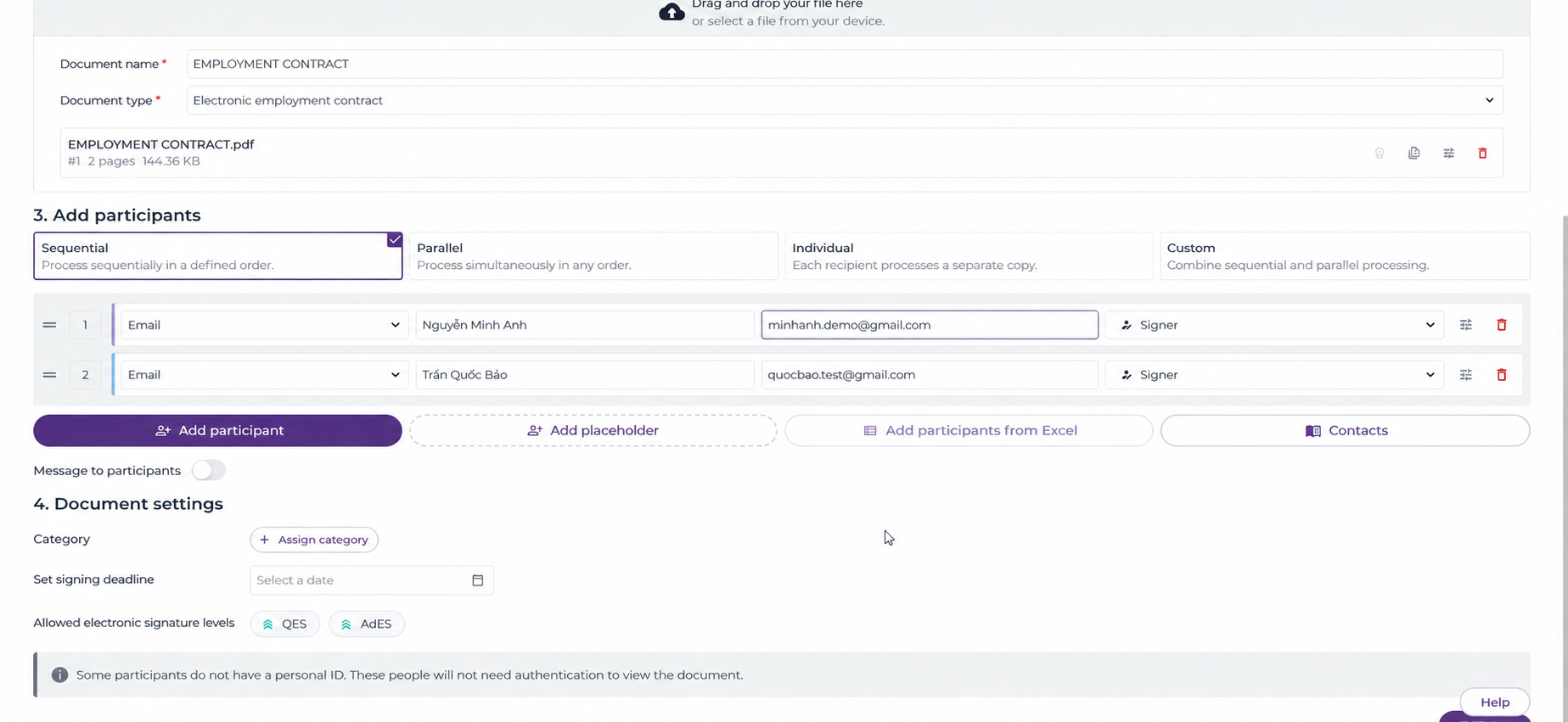
Third, approval steps, signing steps, and participants are placed within a trackable process. This helps the business identify who is responsible at each step, especially when a signer goes on leave, the authorized signer changes, or a contract must pass through multiple levels of processing.
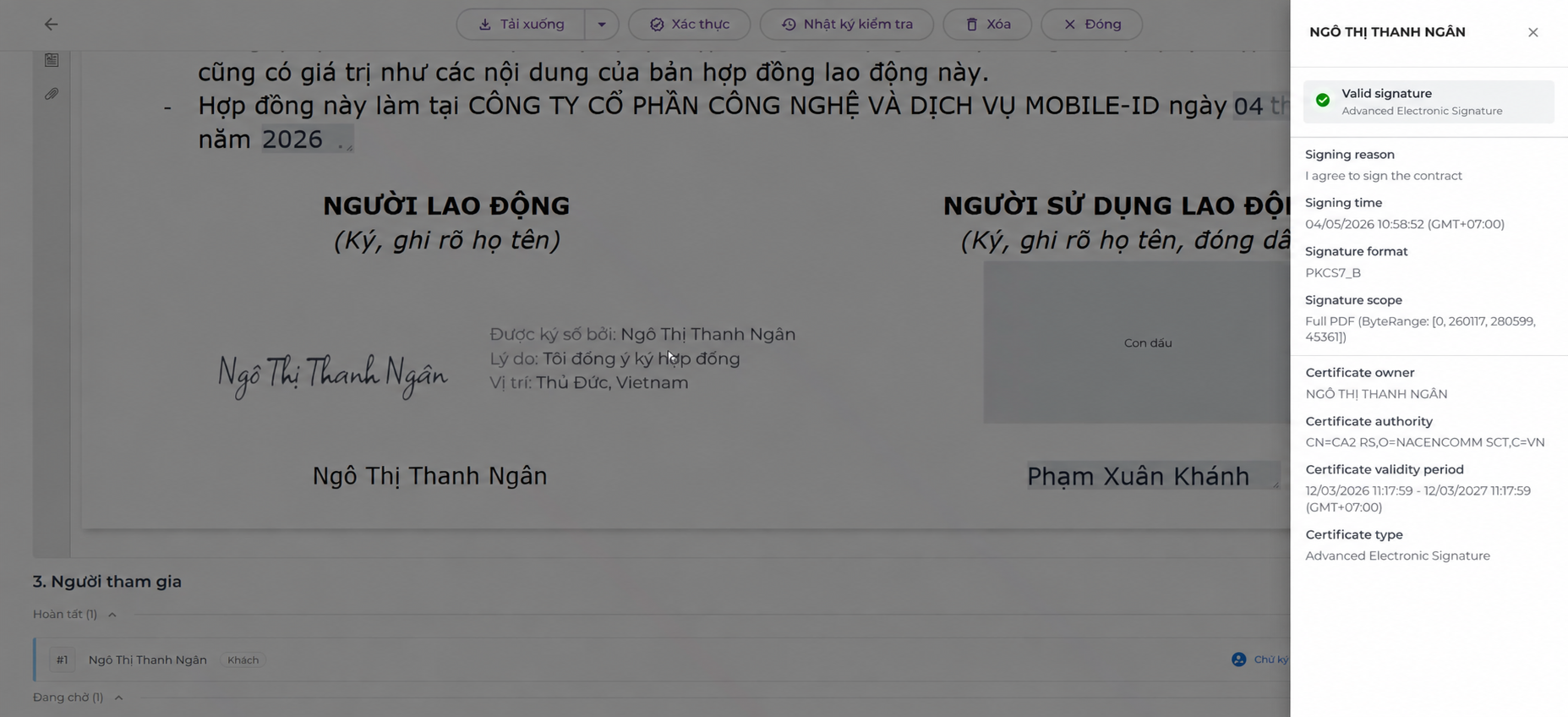
Fourth, the history of approvals, signatures, and record-related actions is retained for retrieval and reconciliation. This is essential for a question HR often only thinks about after the system has already been operating:
“Two years from now, if we need to check who sent, who approved, who signed, and which steps the record passed through, where will we retrieve that information?”
GoPaperless therefore should not be tested only with the case “create contract → send → sign successfully.” Before deployment, businesses should use the 12 scenarios in this article to test how the process handles records that do not follow the normal flow.
Businesses can learn about the overall solution in What Is GoPaperless? An Electronic Contract Digitization Solution Compliant with Decree 337
Businesses should include the situations that can actually occur in real operations in the testing process: incorrect information, signer changes, employee refusal, wrong recipient, or post-signing adjustments.
Quantera supports businesses throughout this process, from identifying scenarios to be tested, defining expected results, supporting pilot execution, reviewing unsuitable points, through to assessing readiness before large-scale deployment.
The final goal is not: ” GoPaperless works.”
It is: “The business process can operate stably both when records follow the normal flow and when exceptions occur.”
7. Conclusion
Testing electronic contracts before deployment is not simply creating a few contracts and checking whether they can be signed successfully.
Businesses need to proactively test the situations they do not want to happen in real operations:
Incorrect data → no signing link received → network loss → refusal to sign → signer change → wrong recipient → correction after signing.
If HR knows exactly how the system will respond and what the next handling step should be, the business has a sufficient basis for scaling up.
Before sending 500 real contracts, spend time allowing a number of pilot contracts to “go wrong.”
That is often the fastest way to determine whether the process is truly ready.
Is your business preparing to deploy electronic contracts but unsure which scenarios should be tested or how exception cases should be handled?
👉 Join the Q&A – Human Resources, Labor and Payroll Community now to discuss real-world implementation scenarios, ask questions about system integration, and work with the Quantera team to resolve challenges during digital transformation.
8. Frequently Asked Questions Before Deploying Electronic Contracts
Is It Necessary to Test All 12 Scenarios?
Not every business necessarily has the same process.
The 12 scenarios above are common cases for reference. In actual application, businesses should prioritize the scenarios most likely to occur in their own process.
For example, if a business does not use email to send signing requests, it does not need to spend too much time on email-change scenarios, but it should carefully test the phone number or authentication method actually being used.
How Many Contracts Need to Be Created for a Pilot?
There is no need to create hundreds of contracts.
The diversity of scenarios is more important than the number of records.
Twenty contracts that all follow the same normal flow may be less valuable than 10-15 contracts designed to test multiple different situations.
Which Departments Should Participate?
At a minimum, HR and the people who will directly use the process should participate.
Depending on the business, managers, authorized signers, IT, and Legal may also need to participate in checking permissions, data, handling processes, and exception cases.
Is a Successful Pilot Signature Enough to Proceed with Real Deployment?
No.
A successful signature only proves that the normal flow is working.
The business also needs to know what happens when data is incorrect, the recipient changes, the signer is absent, the contract is refused, the link expires, or a signed version needs to be adjusted.
See 36 more frequently asked questions and answers about electronic employment contracts and GoPaperless to learn more about legal requirements, operations, data, and implementation options.

Community Discussion