


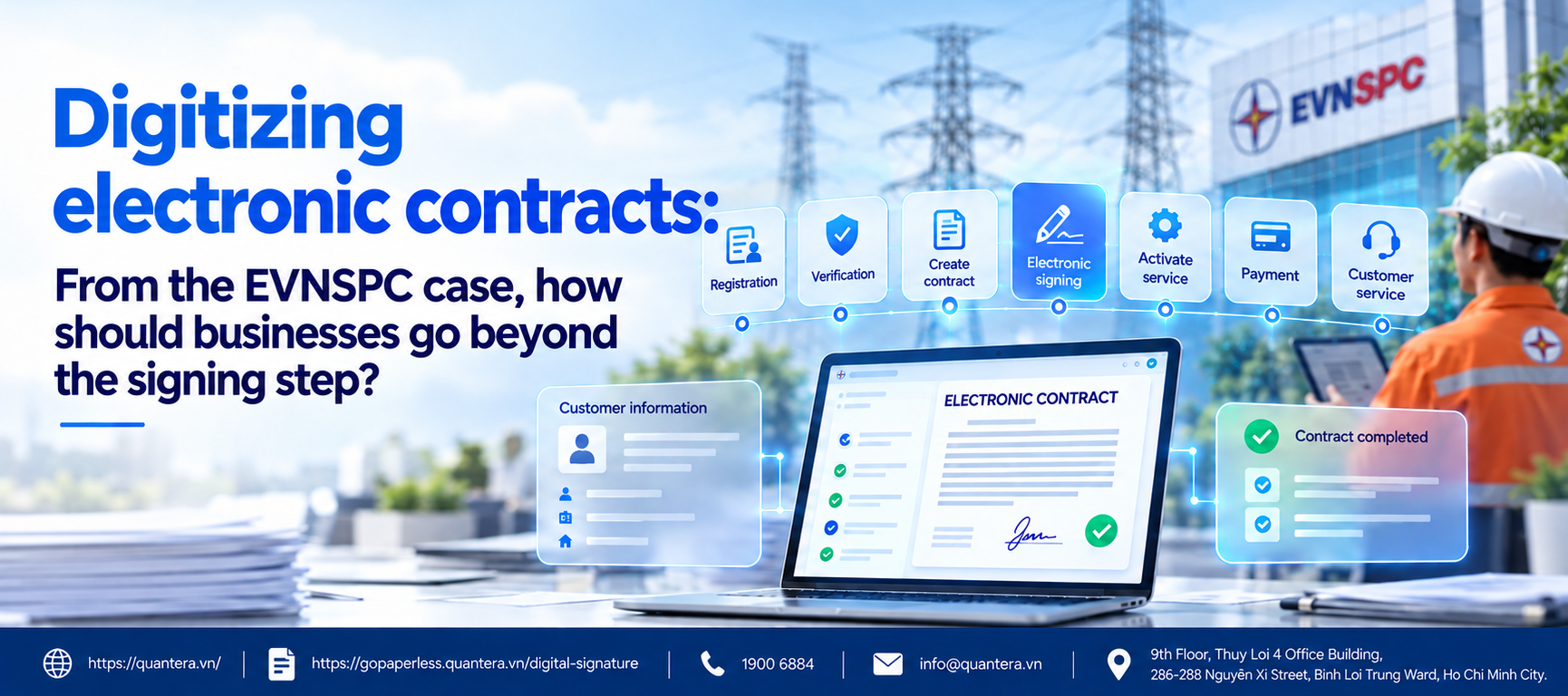
Electronic Contract Digitization: From the EVNSPC Case, How Should Businesses Go Beyond the Signing Step?
When talking about electronic contracts, many businesses often start with the question: “How can customers sign contracts online?”
But in models with millions of customers and hundreds of thousands of online transactions each year, the challenge is much broader.
Where do customers register for services? How is their information authenticated? What data is used to create the contract? Which review steps must the file pass through before signing? After signing, how are service status, payment, and customer records updated?
The digital transformation case of Southern Power Corporation – EVNSPC offers a noteworthy perspective on this issue.
By September 2026, EVNSPC had completed 22/22 tasks in the phase through 2026 of EVN’s Digital Transformation Program. The entire electricity service delivery process had been digitized; 12/12 electricity services were integrated into the National Public Service Portal. On the CMIS 4.0 platform, all new electricity service files and power purchase contracts were digitized and electronically signed.
The lesson here is not simply that “EVNSPC has used electronic contracts.”
Contracts have been placed within a larger ecosystem that includes customer data, electronic authentication, online services, customer information management, and payments. EVNSPC’s member units also connect to the National Population Database; the customer care application integrates VNeID and facial recognition for authentication.
In this article, Quantera will analyze the EVNSPC case from a process perspective and use it to guide businesses step by step in bringing electronic contracts into the entire customer journey, instead of merely replacing handwritten signatures with an electronic signing step.
1. What Does the EVNSPC Case Show About Electronic Contract Digitization?
EVNSPC currently manages more than 8.7 million customers on the CMIS 4.0 customer information system. In addition to digitizing files and new electricity purchase contracts, its customer care system processes more than 500,000 online transactions each year, with an on-time resolution rate above 99.9%.
This ecosystem does not stop at contracts.
EVNSPC has connected with more than 30 banks and payment intermediary organizations; in the first nine months of 2026, the cashless electricity payment rate reached 100%. Contract data, customer service, and payment data are therefore no longer operational “islands” functioning completely independently.
This is the most important lesson businesses can draw: Electronic contract digitization creates significant value only when the contract becomes part of an end-to-end flow of data and business operations.
If a business only replaces the “print contract -> handwritten signature” step with “PDF -> electronic signature”, while employees still copy data using Excel beforehand and then re-enter the result into CRM or accounting software afterward, the business has digitized only one action, not the entire transaction.
From this perspective, businesses can begin with the five steps below.
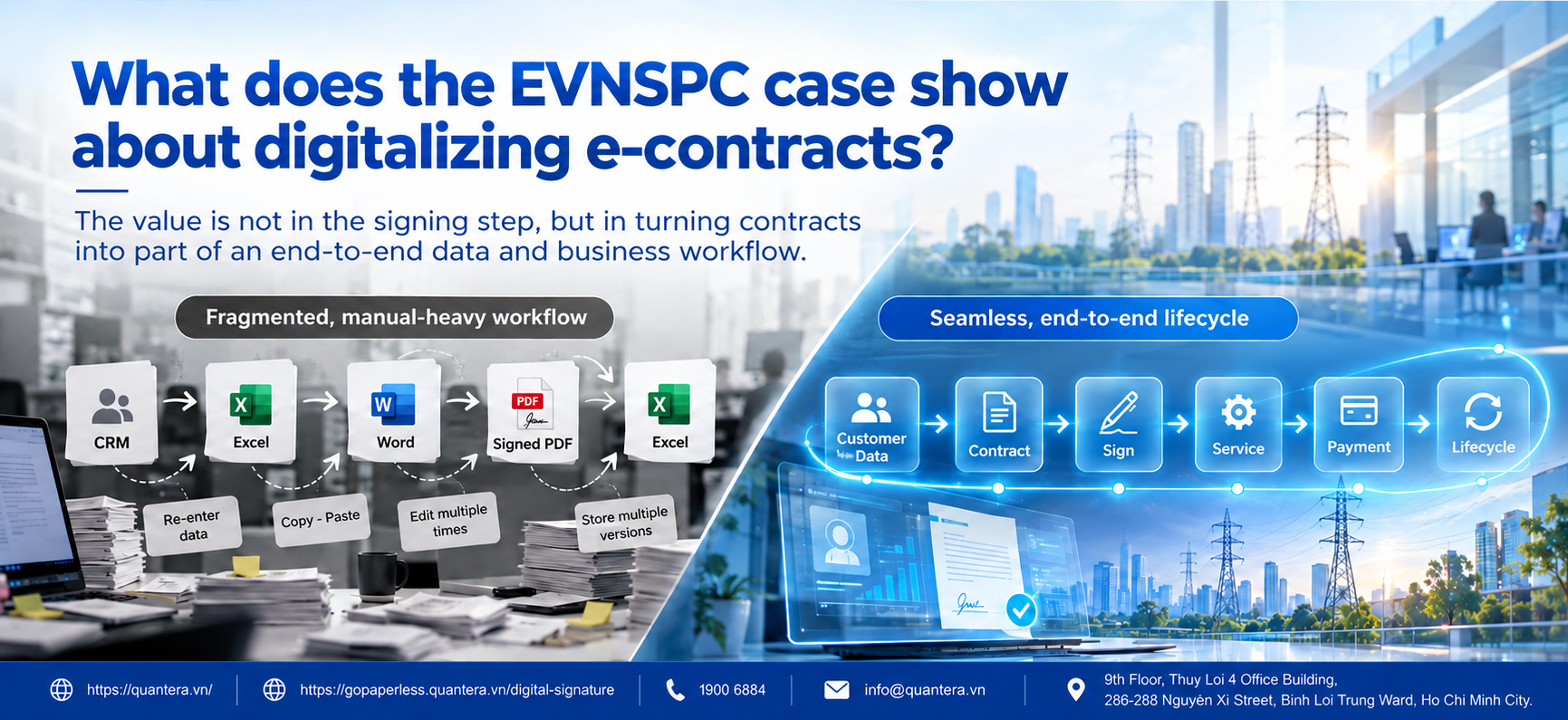
2. Step 1: Put the Contract in the Right Customer Journey
A common mistake when implementing eContract is to start with signing software.
Businesses ask which signature method to use, how to send the signing link, and where to upload the contract, but they have not yet clearly identified where the contract sits in the customer’s overall journey.
Before choosing technology, select one specific service and map the journey from the moment the customer develops a need until the service is delivered.
For example, for a recurring-service business:
Registration -> Provide information -> Authentication -> Review -> Create contract -> Sign -> Activate service -> Payment -> After-sales service
Only then should the business determine which step requires a contract and what must happen before, during, and after signing.
If the contract is successfully signed but an employee still has to download the PDF, send it to another department, and then re-enter information to activate the service, the process is still broken.
The EVNSPC case is notable precisely at this point: contract digitization sits within a broader picture of digitizing the entire electricity service delivery process and a multi-channel customer care ecosystem.
Businesses preparing a digital transformation project can also review the issues that should be clarified before selecting technology in Quantera’s article Top 5 Things Businesses Should Note When Implementing Digital Transformation by Quantera .
The point to remember at this step is: Do not ask “where should the signing tool be placed?” before you can answer “where does the contract sit in the customer journey?”
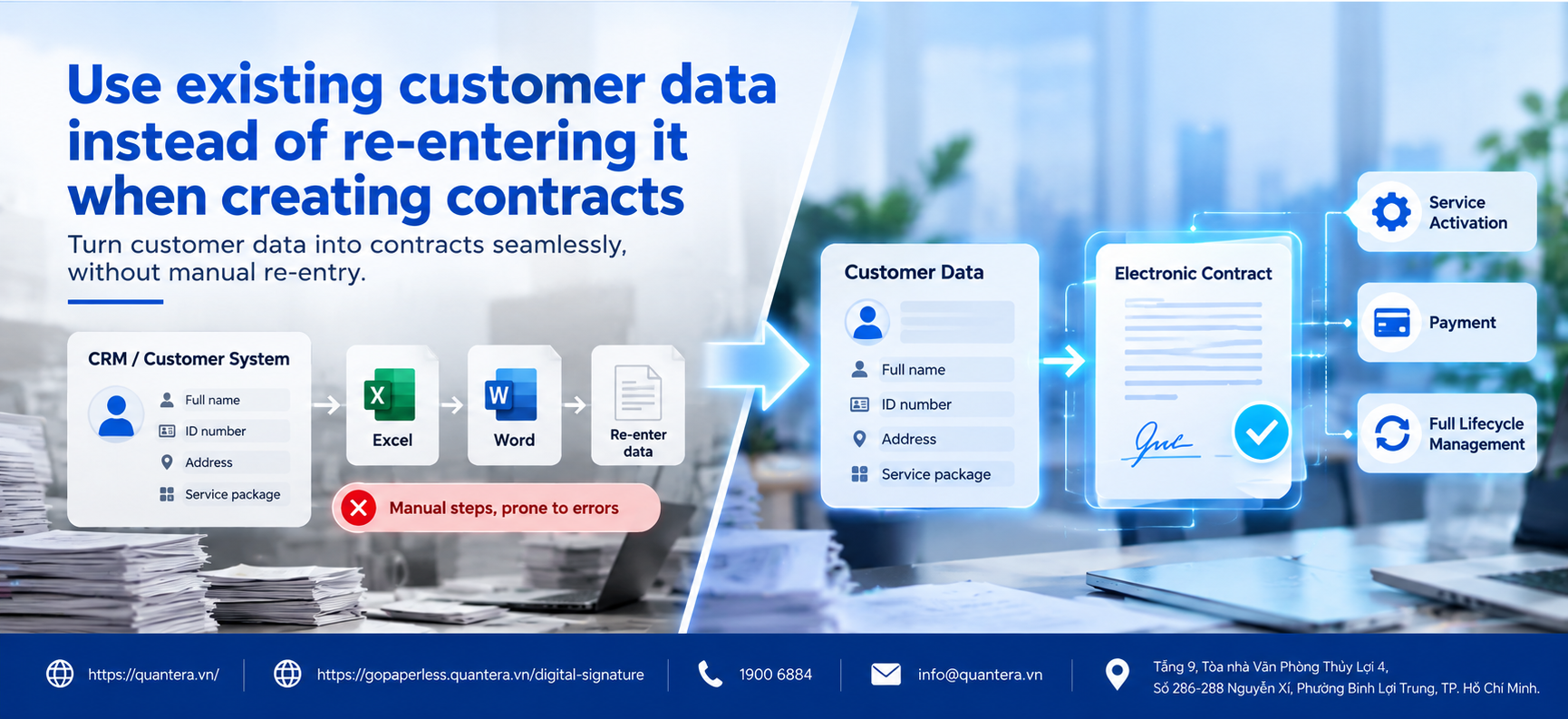
3. Step 2: Reuse Customer Data Instead of Re-entering It When Creating Contracts
Once the journey has been mapped, look at the data.
In many businesses, customers have already provided their full name, identification documents, address, contact information, and service package through CRM or a Portal. However, when it is time to create the contract, employees still copy the data into Word or another system.
This is a common break in the process.
Every re-entry creates another opportunity for data to be incorrect. The name in CRM may differ from the name in the contract. The address may have been updated, but the contract still uses old data. Employees also spend time rechecking information that the business already has.
Businesses should review four questions:
Where is the source data stored? Which fields are being re-entered? Does the customer have to re-declare information already provided? And which system is considered the primary data source?
In the EVNSPC case, the CMIS 4.0 system plays the role of managing customer information, while member units also use population data and electronic authentication methods to support online transactions.
The lesson that can be applied to other industries is: If customer data already exists in the business system, employees or customers should not be forced to enter it again simply because the process has reached the contract stage.
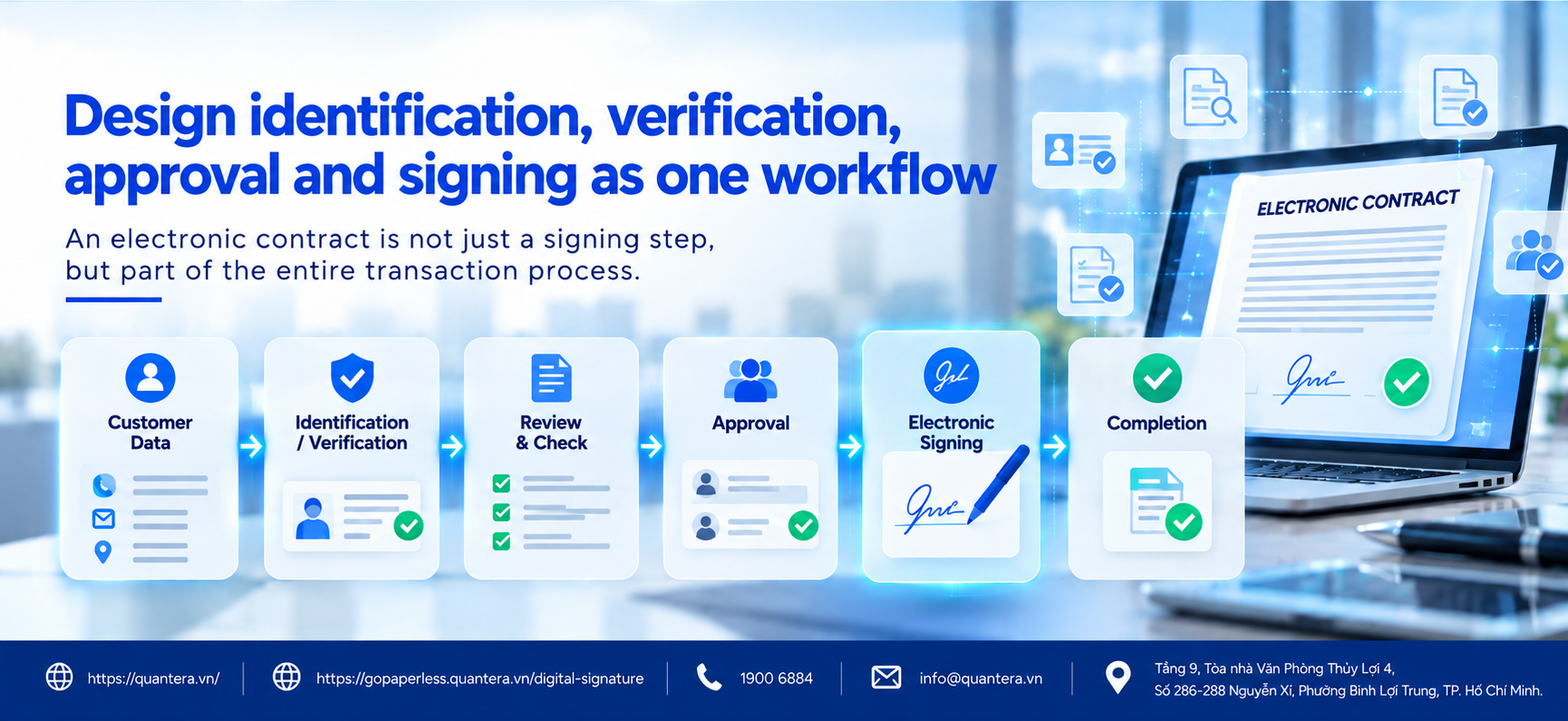
4. Step 3: Design Identity Verification, Review, Approval, and Signing as One Flow
Having correct data does not mean the file is ready for signing.
The business must also determine who is performing the transaction, whether the file meets the required conditions, whether internal approval is needed, and whether the person representing the business has the proper authority.
Therefore, instead of designing a process:
Create PDF -> Send for signing
Look at it as:
Data -> Authentication -> Review -> Approval -> Sign -> Complete
Depending on the type of transaction, not every step is always required. But the business needs to clearly identify which steps are actually necessary and who is responsible.
For B2B2C models with a large number of customers, identity verification is particularly important. EVNSPC currently uses population data, while its customer care application integrates authentication via VNeID and facial recognition to support online procedures.
The lesson is not that every business must use the same authentication method. The lesson is that identity verification should be placed directly in the transaction journey, rather than handled as a separate and manual step.
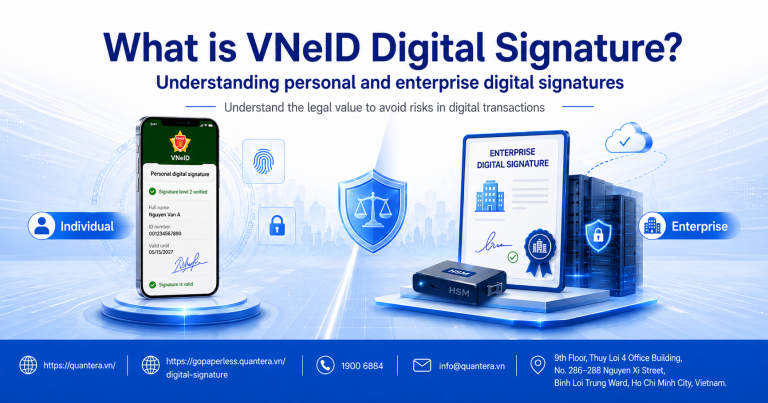
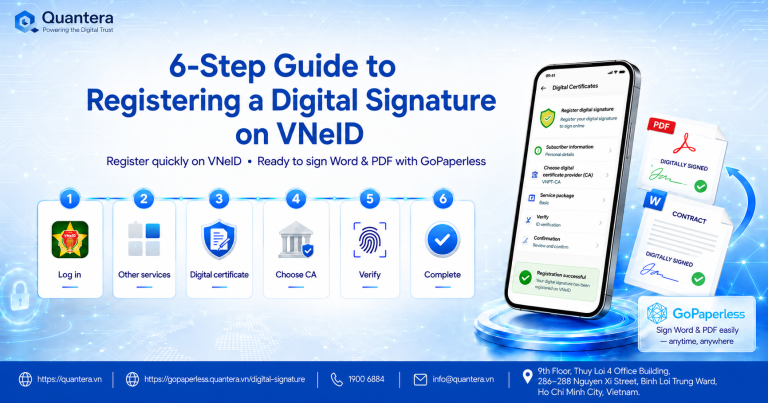
If the business is studying how to use VNeID in electronic transactions, it can refer to Quantera’s content on identity verification and digital signatures on VNeID.
5. Step 4: Define What Must Happen Immediately After the Contract Is Signed
This is a point that many electronic contract projects overlook.
Businesses often define the project KPI as “successful electronic signing.” But in a real process, signing is usually not the end.
A signed insurance contract may need to be activated and a certificate issued. A telecommunications contract may require subscriber activation. A B2B service may need to create an account, issue an invoice, or transfer the file to the operations team.
If the post-signing step still depends on an employee seeing an email, downloading the file, and manually entering the status, much of the value of digitization has been lost.
The EVNSPC case shows a model worth studying because contracts, the customer management system, electricity services, invoices, and payments all sit within a larger digital ecosystem. EVNSPC has connected with more than 30 banks and payment intermediary organizations; the cashless electricity payment rate in the first nine months of 2026 reached 100%.
Therefore, when designing eContract, businesses should immediately ask:
After the status “Signed”, which system needs to receive the result and which business operation needs to be activated?
This is the major difference between digitizing the signing step and digitizing the transaction.
A good electronic contract should not end with the creation of a new PDF file; it should create a new business status.
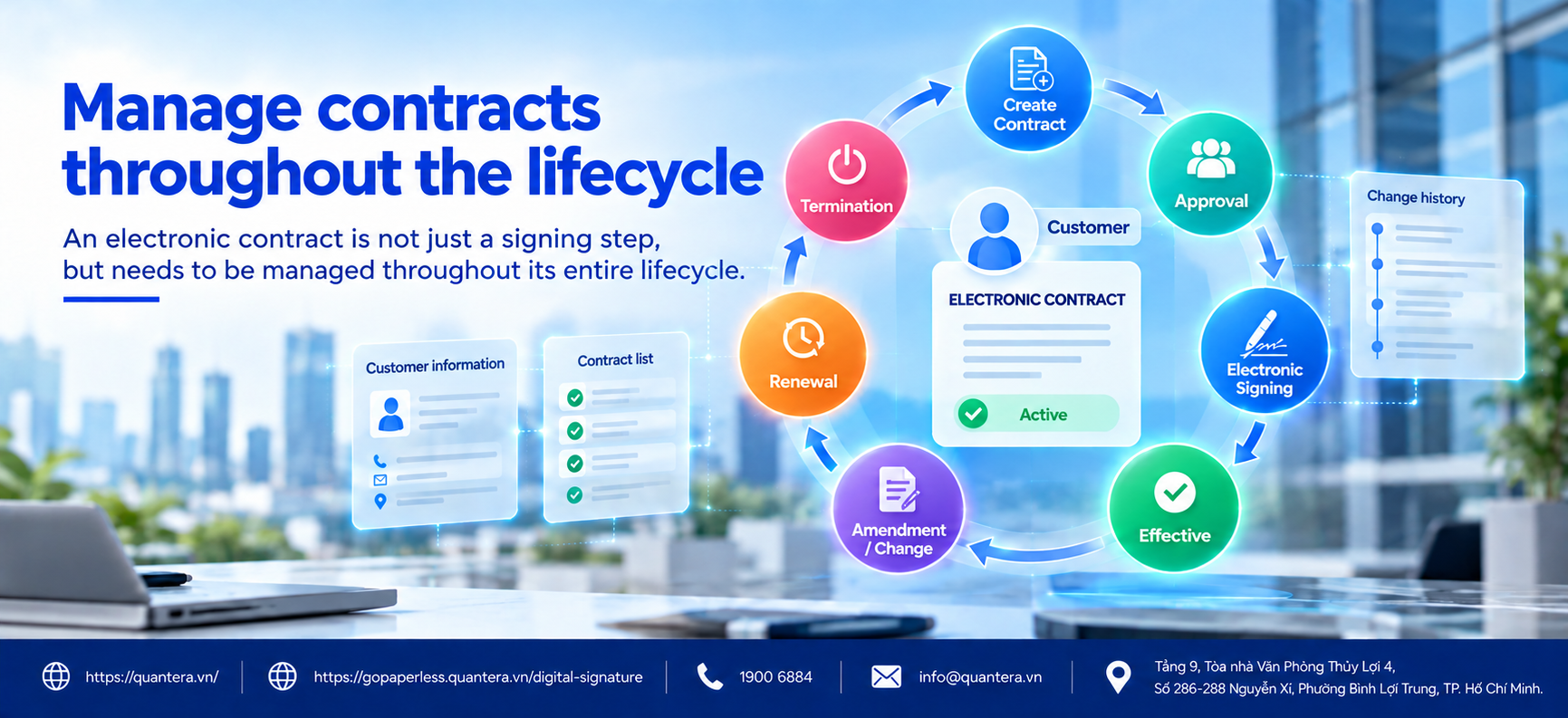
6. Step 5: Manage Contracts Throughout Their Lifecycle Instead of Only Storing the Signed File
A signed contract does not mean its lifecycle has ended.
During service delivery, there may be changes to information, appendices, renewals, service package upgrades or downgrades, suspension, termination, or re-signing.
If the business only stores the final file in a folder, a few months later very familiar questions will arise:
Which contract currently applies to this customer? Which appendix is in effect? Is the contract about to expire? Have there been any changes after signing? Where is the current version?
Therefore, when digitizing electronic contracts, businesses should design around the record lifecycle, in which the contract is linked to the customer, status, related transactions, and change history.
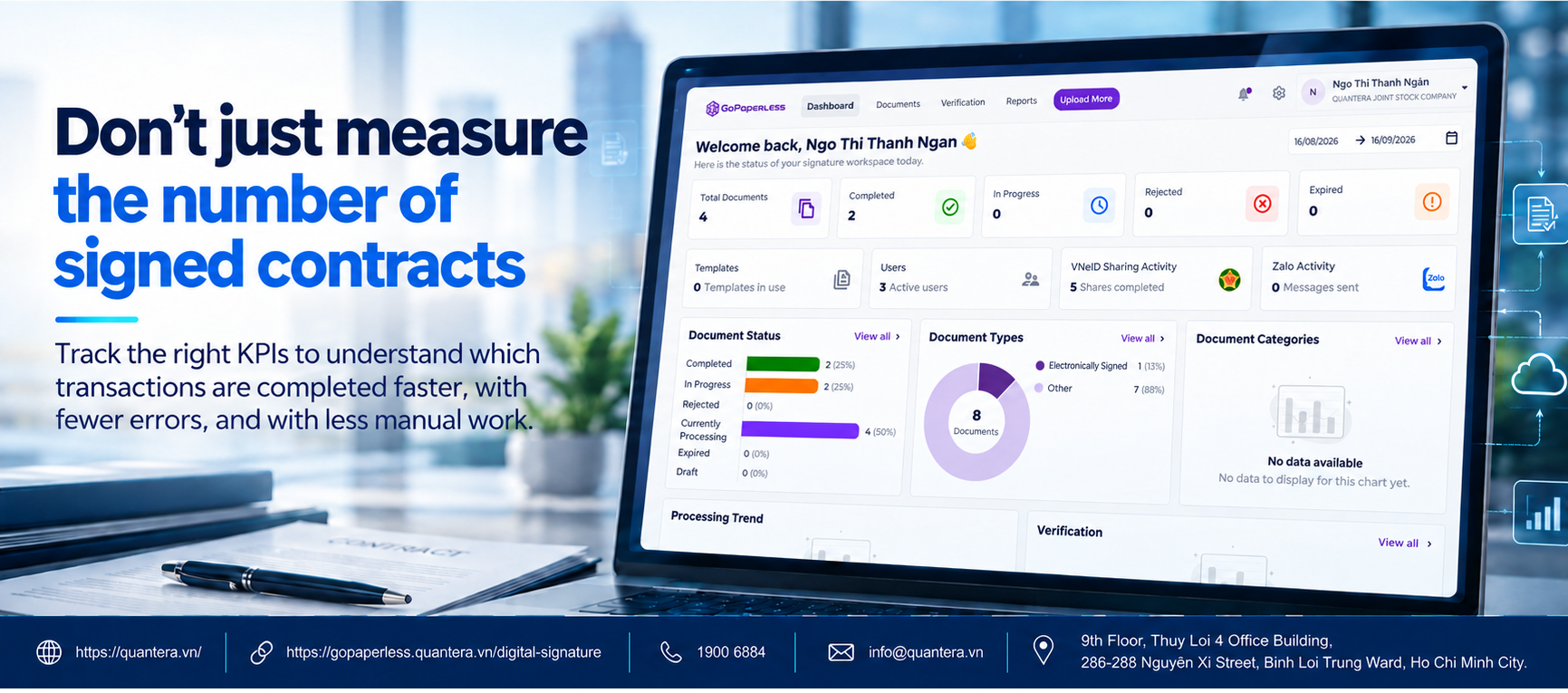
7. Do Not Only Measure the Number of Signed Contracts: Which KPIs Should Businesses Track?
A system that creates 100,000 electronic contracts is not necessarily more effective than a system that creates 50,000 contracts.
The number that truly matters is how many transactions were completed and how many resources the business had to spend to complete them.
First is the completion rate. Of all customers who start the process, how many actually reach the successful signing step?
Next is processing time. How long does it take from the moment the customer begins providing information until the contract takes effect? If it takes three days, are those three days spent on authentication, internal approval, or waiting for the customer to sign?
Businesses should also monitor drop-off points in the journey. If most customers abandon the process at the authentication step or when opening the signing link, that is where improvement is needed.
Finally, there is the cost per completed transaction. A contract signed entirely automatically has a very different operating cost from a contract that requires three employees to call, check, and correct data.
A practical KPI set may include:
| KPI Group | Metric to Track |
|---|---|
| Completion | Start -> Successful signing rate |
| Time | Time from registration -> Completion |
| Experience | Drop-off rate at each step |
| Operations | Number of manual data entry/correction actions |
| Quality | Rate of files returned for correction |
| Cost | Cost per completed transaction |
| Automation | Rate of transactions completed without manual intervention |
The EVNSPC case also shows a broader approach to data-driven management: the Corporation’s BI system currently integrates 99 online dashboards to support data-based decision-making.
The goal of eContract is not to create more electronic files, but to help more transactions complete faster, with fewer errors and less manual work.
8. Which Businesses Can Learn from the EVNSPC Model?
A business does not need to have 8.7 million customers like EVNSPC to apply this way of thinking.
What matters more is the nature of the transaction.
The model is particularly worth considering for businesses with a large number of individual customers, standardized contract templates, recurring transactions, a need for customer identity verification, and business operations that continue after signing.
For example:
Insurance: customer registration -> authentication -> sign documents -> issue contract/certificate -> collect premium.
Telecommunications: registration -> subscriber authentication -> contract execution -> service activation -> recurring payment.
Water and utilities: service registration -> authentication -> contract -> activation -> usage recording -> payment.
Education: course registration -> documents -> contract -> payment -> course activation.
Subscription services: registration -> plan selection -> contract execution -> activation -> recurring fee collection -> renewal.
These industries do not need to copy EVNSPC’s technology architecture.
A transaction must be designed from the moment the customer starts until the service is actually activated and continues to be managed.
9. What Problems Does GoPaperless Solve in an End-to-End Digital Transaction Model?
The EVNSPC case raises a series of problems that many B2B2C businesses are also facing: customer data already exists but must be re-entered when creating contracts; customers must go through many disconnected steps to authenticate and sign; internal files are forwarded before completion; the business does not know where a transaction currently stands; and after signing, only a PDF file remains without management of the next lifecycle stages.
These are precisely the points that GoPaperless from Quantera can help address.
Customer data already exists, but employees still have to re-enter it when creating contracts
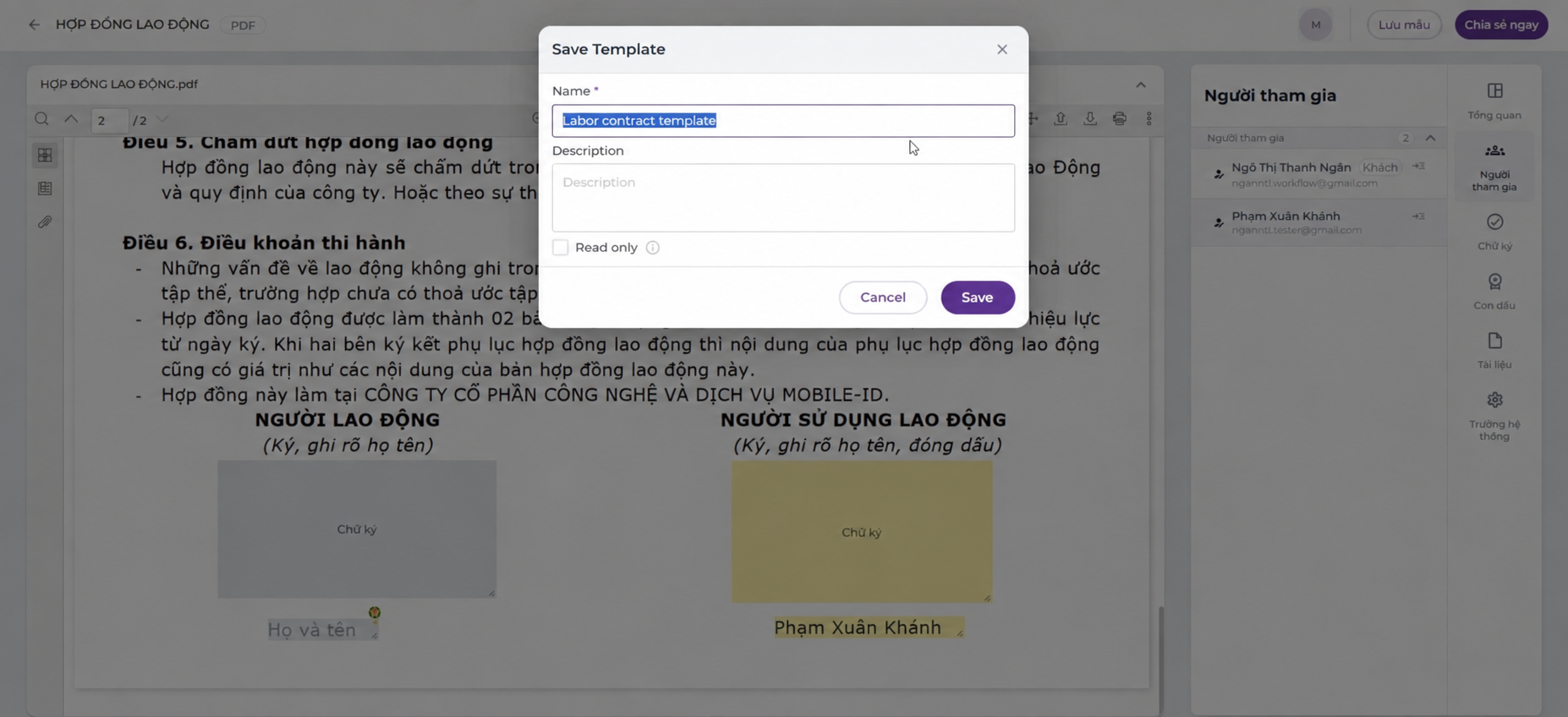
When information already exists in a business system, the electronic file can be created from that data instead of requiring employees to keep copying it into Word or entering it manually.
The value is not only in saving steps. Reducing re-entry also limits situations where customer information on the contract does not match the data the business is managing.
The business needs to identify the correct person performing the transaction
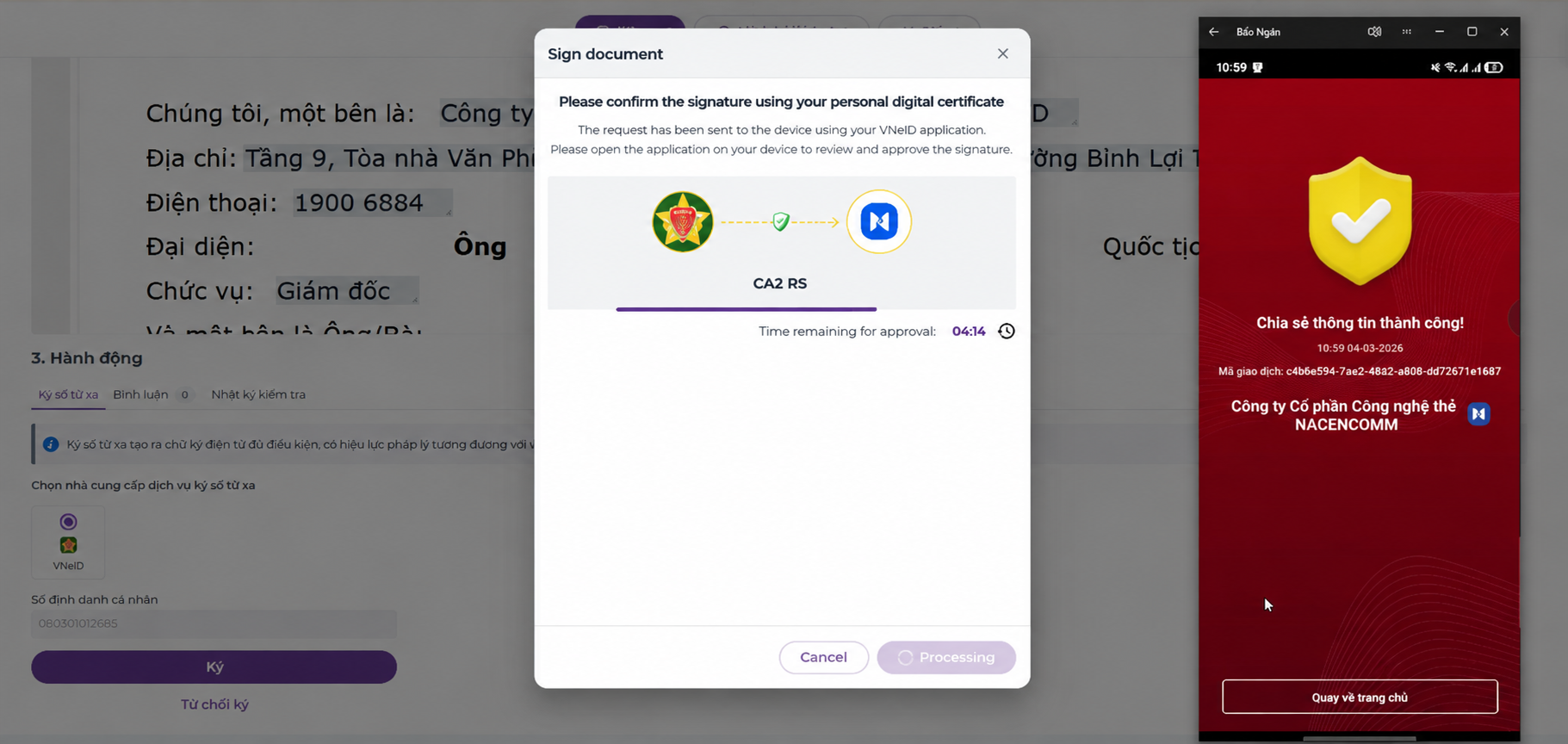
In an electronic transaction, sending a signing link is not enough. The business must also determine whether the person performing the transaction is the correct party to the contract.
GoPaperless can place identity verification, authentication, and signing steps in the same file journey so customers do not have to go through multiple disconnected processes. In particular, VNeID can be used to authenticate participants and ensure the correct person and responsibility.
For each use case, businesses can choose an appropriate authentication and signing method, such as USB Token, digital certificates, or Remote Signing, instead of applying one single method to every customer.
Files must be reviewed and approved before customers are allowed to sign
For example, an insurance contract may need information to be checked before issuance; a B2B contract may need to pass through Sales, Legal, and an authorized person.
On GoPaperless, these steps can be organized into a workflow.
The file is created first, goes through the defined review or approval steps, and only then moves to signing. If it is returned, the file status goes back to the corresponding processing step instead of continuing to the end with incorrect data.
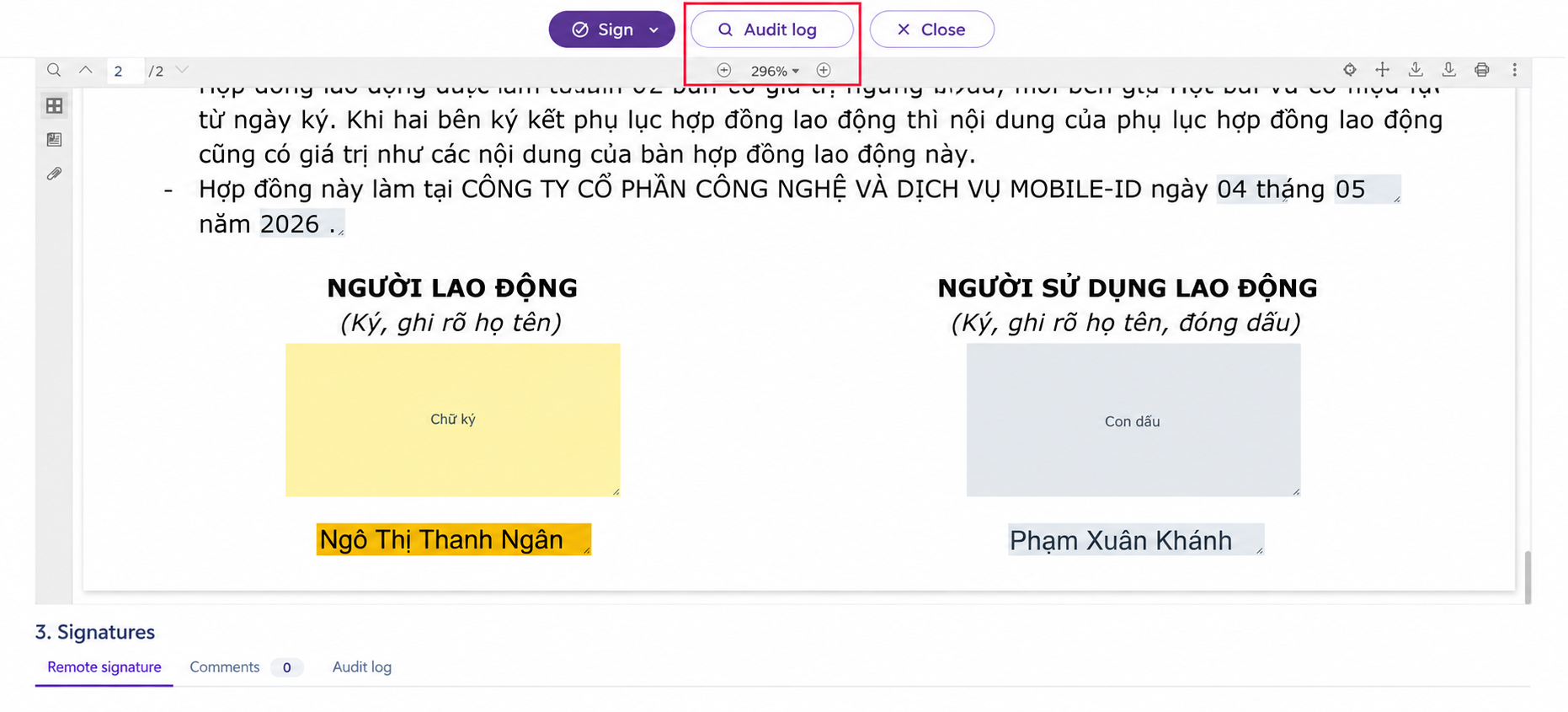
The business needs to know the status of thousands of transactions
When the number of files becomes large, Excel quickly loses effectiveness.
The business needs to distinguish which files are waiting internally, which have been sent to customers, which are waiting for signature, which have been returned, and which have been completed.
GoPaperless manages status for each transaction so the operations team does not have to ask each person or open each email to determine where a file currently sits.
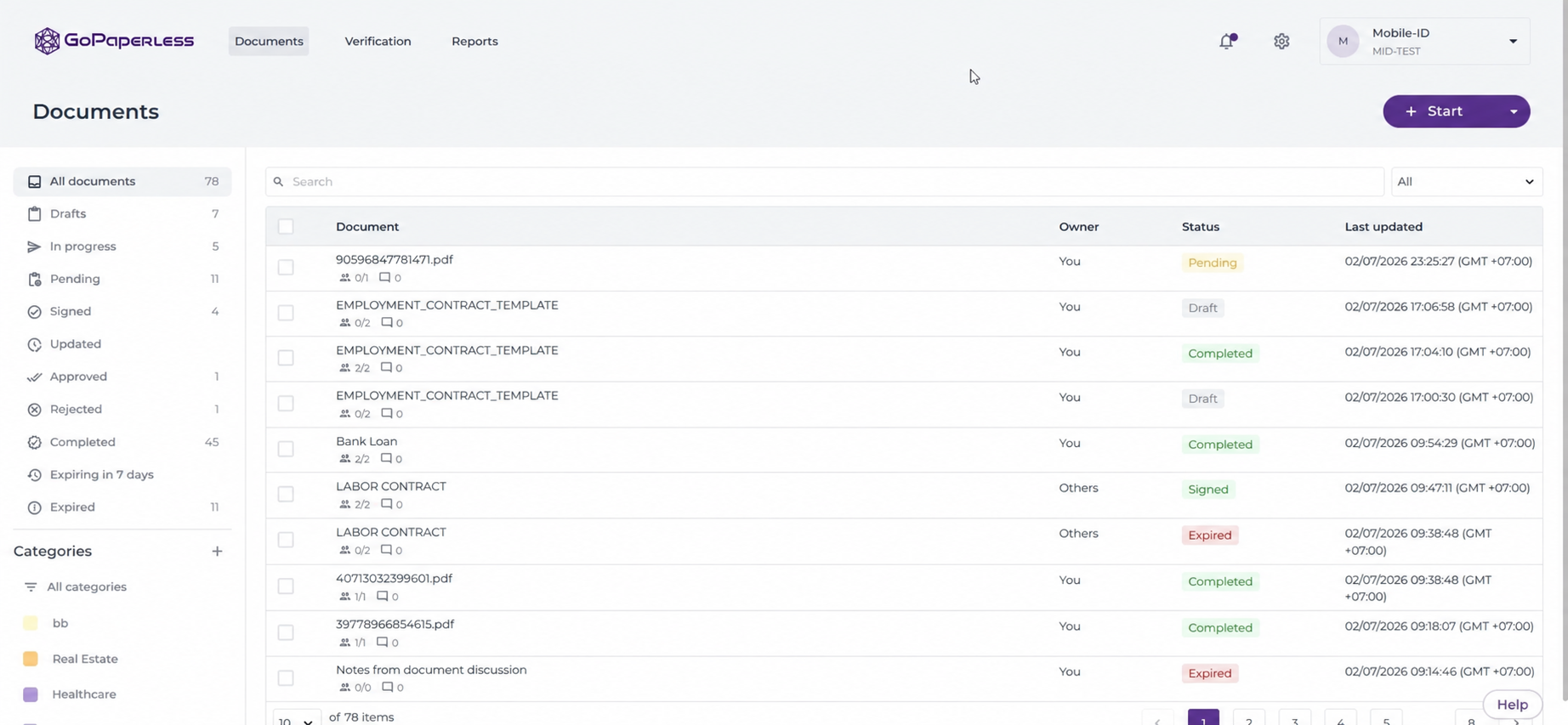
After signing, the contract still has a lifecycle that needs to be managed
The contract may continue to generate appendices, information changes, renewals, or termination.
Instead of treating the signed PDF as the endpoint, GoPaperless helps businesses manage the file together with its transaction status and history so they know which document is in effect and how the process has changed.
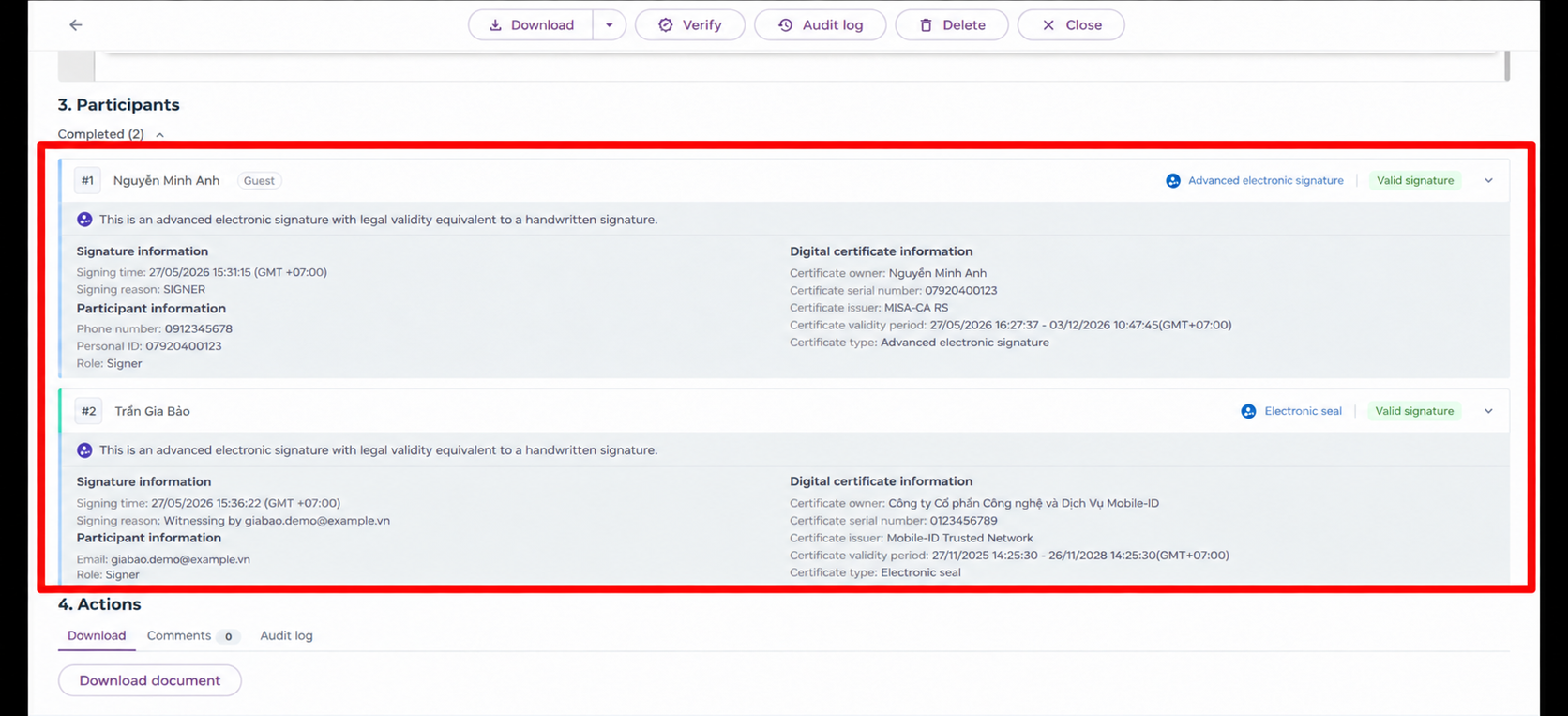
When review is needed, the business must be able to trace the entire process
An electronic transaction does not only require the final document.
The business may also need to know when the file was created, who handled it, which steps it went through, the signing time, and evidence related to the transaction process.
Retaining processing history, signatures, timestamps, and transaction evidence allows the business to trace the process instead of only keeping the final result.
The role of GoPaperless can be visualized through the following journey:
Customer data -> Create file -> Identity verification/Authentication -> Review/Approval -> Sign -> Complete -> Manage status and evidence -> Contract lifecycle
The important point is that GoPaperless does not replace the business in designing its operations. The business still needs to define the customer journey, source data, approval conditions, and post-signing operations.
GoPaperless plays the role of turning those rules into an electronic transaction that can be executed, tracked, and traced.
Businesses that want to learn more about the platform can read What Is GoPaperless? Quantera’s Electronic Contract Digitization Solution.
10. Conclusion
The notable point in the EVNSPC case is not that a large business moved from paper contracts to electronic signing.
The lesson lies in how contracts were placed into a larger data and service ecosystem.
Customers can complete procedures online. Information is authenticated in the digital environment. New files and electricity purchase contracts are digitized on CMIS 4.0. The payment system is connected to more than 30 banks and intermediary organizations.
This is an example of the gap between two states: “The business has electronic contracts.” and “The business has digitized the transaction.”
In the first state, the business has a signed electronic document.
In the second state, customer data, identity verification, review, approval, signing, post-signing status, and the contract lifecycle become parts of the same journey.
For businesses preparing to implement eContract, the question therefore should not only be “How will we sign electronically?”
It should be: “After digitization, which steps do customers and employees still have to perform manually from the start of the transaction until the service is actually completed?”
Those remaining steps are precisely where the business should continue digitizing.
Has your business already used electronic contracts, but the processes before and after signing still have to run through Excel, email, or multiple manual actions?
11. Frequently Asked Questions About Electronic Contract Digitization
Is electronic contract digitization only about converting paper contracts into PDFs?
No. PDF is only a document format. More complete electronic contract digitization also involves how data is created, how files are reviewed and approved, how contracts are executed, how status is tracked, how evidence is stored, and how the contract is managed after signing.
When should a business digitize the entire process instead of only the signing step?
When there are still many manual actions before or after signing, such as copying data, sending files by email, tracking with Excel, re-entering results, or manually asking for status, the business should examine the entire journey instead of optimizing only the signature.
Where should a business with a large customer base start when implementing eContract?
Start with one specific journey that has a large transaction volume and a relatively standardized process. Map the steps from when the customer starts until the service is activated, then identify the data, identity verification, approval, signing, and post-signing operations.
Which KPIs are important when evaluating an electronic contract system?
In addition to the number of signed contracts, businesses should monitor completion rate, processing time, customer drop-off rate at each step, file reprocessing rate, automation rate, and cost per completed transaction.
Do electronic contracts need to be managed after they are signed?
Yes. Contracts may continue to generate appendices, renewals, changes, or termination. Businesses should therefore manage contracts throughout their lifecycle instead of only storing the final version.
How is GoPaperless suitable for B2B2C processes?
GoPaperless is suitable for processes that need to handle large volumes of files across multiple steps such as file creation, identity verification, review, approval, signing, status tracking, and evidence retention. Its main value lies in managing the transaction end-to-end rather than only providing an electronic signing step.
See 36 more frequently asked questions and answers about electronic employment contracts and GoPaperless to learn more about legal requirements, operations, data, and implementation options.


Community Discussion